
Engineers often need to collect real-time data from the physical world. High-speed data acquisition (DAQ) systems capture rapid voltage changes. Engineers use these systems in automotive testing, industrial monitoring, and scientific research.
Historically, developers used expensive desktop PCs and specialized plug-in cards for high-speed DAQ. Today, single-board computers offer a compact alternative. The Raspberry Pi 5 provides a major leap in processing power and bus bandwidth over its predecessors.
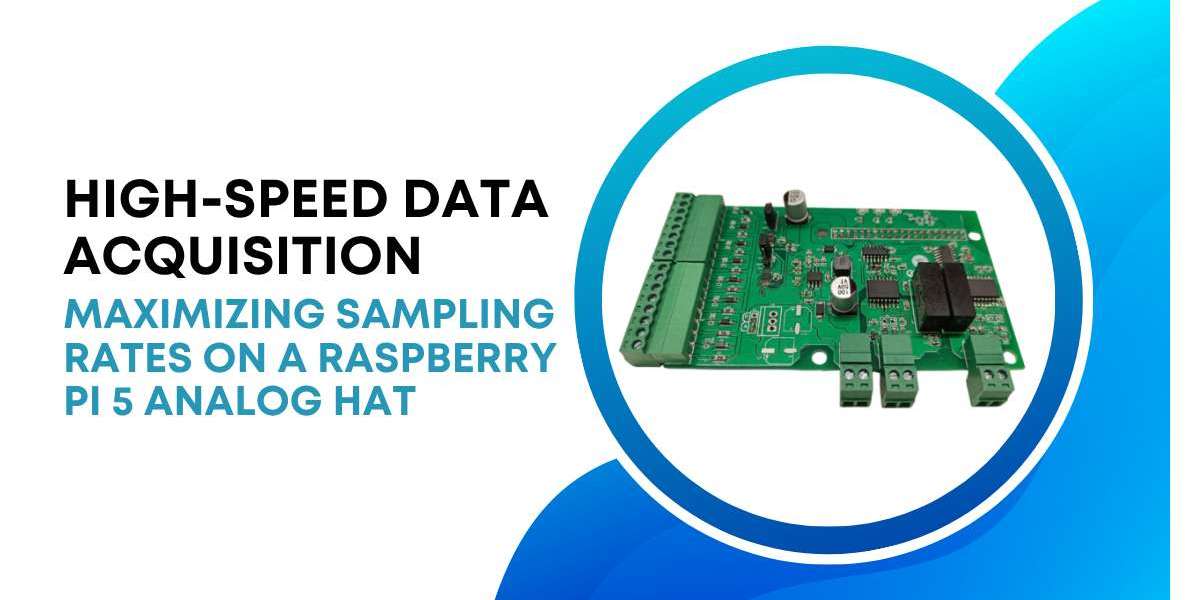
However, the Raspberry Pi 5 lacks built-in analog-to-digital converters (ADCs). You must use an expansion board to read analog signals. A Raspberry Pi 5 HAT with 8 Analog Inputs serves as an excellent solution for multi-channel sensor setups.
This article explains how to maximize sampling rates using a HAT with 8 Analog Inputs on the Raspberry Pi 5. We look at hardware bottlenecks, driver optimization, and efficient software architectures.
Understanding the Hardware Architecture
The Raspberry Pi 5 introduces the RP1 southbridge silicon. This chip handles most of the I/O capabilities, including SPI, I2C, and GPIO.
1. The Role of the RP1 Chip
On older Pi boards, the main processor handled peripherals directly. The Raspberry Pi 5 routes peripheral traffic through the RP1 via a 4-lane PCIe 2.0 link. This link delivers a total bandwidth of 16 Gbps. This dedicated PCIe bus reduces the CPU load for standard I/O tasks. It ensures that the SPI bus runs at its maximum theoretical clock rate without dropping packets.
2. SPI Bus Bottlenecks
Most analog HATs use the Serial Peripheral Interface (SPI) to communicate with the Pi. SPI uses a master-slave architecture. The clock speed directly limits your maximum sampling rate. If your ADC supports a 20 MHz SPI clock, you can transfer 20 million bits per second. A single 16-bit analog sample requires around 24 clock cycles, including command overhead.
When you divide this throughput across a HAT with 8 Analog Inputs, the per-channel rate drops. Each channel receives a maximum of roughly 104,166 samples per second (104 kSPS).
Selecting the Right ADC Architecture
Not all analog HATs function the same way. The internal design of the ADC chips dictates the maximum achievable sampling speed.
1. Successive Approximation Register vs. Delta-Sigma
SAR ADCs offer fast conversion times and low latency. They work best for high-speed multiplexed applications. Delta-Sigma ADCs provide higher resolution, often 24-bit, but feature slower conversion speeds. For high-speed DAQ across multiple channels, choose a SAR-based Raspberry Pi 5 HAT with 8 Analog Inputs. A SAR ADC samples the input signal quickly and switches to the next channel instantly.
2. Simultaneous Sampling vs. Multiplexed Sampling
Most cost-effective HATs use a single ADC chip with an analog multiplexer. The multiplexer switches between the 8 inputs sequentially.
Multiplexed: Channels are sampled one after the other. A small time delay exists between channel 1 and channel 2.
Simultaneous: The HAT contains multiple ADCs or sample-and-hold circuits. All 8 channels capture the signal at the exact same instant.
Multiplexed setups cause a phase shift between channels. If you analyze high-frequency phase relationships, select a simultaneous-sampling HAT.
Maximizing SPI Throughput on Raspberry Pi 5
To get the highest sampling rate, you must optimize the SPI bus configurations in Linux.
1. Adjusting the Clock Frequency
The default Linux SPI driver often clocks the bus at a conservative 10 MHz or 12 MHz. You can increase this limit in the boot firmware configuration file. Add the relevant configuration lines to boost the core clock limits.
Next, set the speed inside your acquisition application. Many modern ADC chips handle up to 25 MHz or 50 MHz SPI clocks. Check your specific HAT datasheet before raising the frequency. Excessive clock speeds cause signal integrity issues and data corruption.
2. Reducing Kernel Overhead with spidev
The standard Linux kernel driver, spidev, introduces overhead for every system call. If you call the read function for every individual sample, your sampling rate will stall around 20 kSPS.
To bypass this limit, use block transfers. Collect multiple samples in the hardware FIFO buffer of the ADC, then read them in a single large SPI message.
Software Strategies for High-Speed Data Acquisition
Software architecture choices greatly influence your final sampling speed. Avoid Python for maximum performance loops. Use compiled languages like C or C++.
1. Implementing Direct Memory Access
DMA allows the SPI hardware to write data directly into the system RAM. The CPU stays free to process older data packets.
The Raspberry Pi 5 kernel supports DMA transfers for SPI automatically when handling large buffers. Ensure your buffer size exceeds 4096 bytes to trigger the DMA engine in the Linux kernel driver.
1. Multi-Threaded Architecture
Never process data in the same software thread that reads the SPI bus. If the processing takes too long, the SPI buffer overflows, and you lose data points.
Use a producer-consumer design model.
The Producer Thread: This thread runs at the highest priority. Its only job is reading data from the HAT with 8 Analog Inputs and pushing it into a shared ring buffer.
The Consumer Thread: This thread pulls data from the ring buffer. It handles calculations, filter applications, and disk storage.
Managing Electrical Noise at High Speeds
High sampling rates make your system vulnerable to electrical noise. High-frequency digital lines generate interference that corrupts analog readings.
1. Grounding and Shielding
Keep analog signal wires far away from the Raspberry Pi 5 USB 3.0 ports. USB 3.0 ports emit significant broadband noise in the 2.4 GHz spectrum, which couples into unshielded analog lines.
Use twisted-pair, shielded cables for all 8 analog inputs.
Connect the cable shield to the analog ground terminal on the HAT.
Keep the analog wires as short as possible. Wires longer than 30 cm act as antennas.
2. Anti-Aliasing Filters
According to the Nyquist theorem, your sampling rate must double the highest frequency component of your signal. If you sample at 100 kSPS per channel, any signal above 50 kHz causes aliasing distortion.
Place a simple low-pass RC filter on each input of your HAT with 8 Analog Inputs. If you select a 1 kOhm resistor and a 3.3 nF capacitor, the cutoff frequency sits around 48 kHz. This filter blocks unwanted high-frequency noise before the ADC digitizes the signal.
Storing and Streaming High-Speed Data
A total throughput of 1 MSPS at 16-bit resolution generates 2 megabytes of raw data every second. You must manage this data flow efficiently.
1. Using NVMe Storage
The Raspberry Pi 5 features a dedicated PCIe 2.0 interface for external SSDs. Avoid writing high-speed DAQ data to a standard MicroSD card. MicroSD cards lack the write endurance and write speed needed for continuous 2 MB/s streams. They suffer from sudden write latency spikes, which cause data loss.
Connect an NVMe M.2 SSD via a PCIe pipeline HAT. An NVMe SSD easily sustains write speeds above 300 MB/s, handling high-speed DAQ traffic easily.
2. Network Streaming via UDP
If you stream data to a remote PC for visualization, use User Datagram Protocol (UDP).
Transmission Control Protocol (TCP) guarantees delivery but introduces latency delays when a packet drops. If a TCP packet drops, the entire transmission pauses to re-send the missing data. This pause overflows your local Raspberry Pi buffers.
UDP streams the data continuously without pausing. A multi-threaded C++ app can pack 512 samples into a single UDP packet and send it across a Gigabit Ethernet connection instantly.
Advanced Linux Driver Optimization
To push performance even higher, custom kernel modules offer an alternative to user-space drivers.
1. Industrial I/O Framework
The Linux Industrial I/O (IIO) subsystem handles ADCs efficiently. Writing a dedicated IIO driver for your HAT with 8 Analog Inputs yields severe performance benefits.
The IIO framework uses standard kernel ring buffers. It manages hardware interrupts directly in the kernel space. This design removes the system call overhead entirely during the active sampling phase.
2. Setting CPU Affinity
Linux balances software tasks across all four processing cores of the Raspberry Pi 5. This load balancing shifts your acquisition program between cores, flushing the CPU cache memory each time.
Power Delivery and Signal Integrity
High-speed sampling demands clean electrical power. The Raspberry Pi 5 requires a 5V, 5A power supply to operate at maximum clock speeds.
1. Islighting Analog Power Planes
The digital processing on the Raspberry Pi 5 creates voltage ripples on the 5V and 3.3V power rails. If your HAT with 8 Analog Inputs uses the Pi power supply directly, this ripple introduces noise into your analog measurements.
Excellent HAT designs use low-dropout regulators (LDOs) to create an isolated analog power rail. Ensure your HAT separates the digital ground from the analog ground. Connect these two grounds at a single point, often called a star ground, near the ADC chip.
2. Impedance Matching for High-Frequency Inputs
When tracking high-frequency signals, cable impedance affects measurement accuracy. Mismatched impedance causes signal reflections along the wires, creating phantom voltage spikes in your data. Match the output impedance of your sensors with the input impedance of the HAT with 8 Analog Inputs. Use operational amplifier buffers near the sensors if they possess high output impedance. These buffers lower the source impedance, driving the analog signal through the cable into the HAT without loss.
Conclusion
The Raspberry Pi 5 possesses the processing power to handle intense data acquisition workloads. Maximizing your sampling rates requires optimizing every step of the data pipeline. Select a high-speed, SAR-based Raspberry Pi 5 HAT with 8 Analog Inputs that matches your performance targets. Configure the SPI bus clock correctly in the Linux firmware settings. Avoid using Python for core sampling loops; write your data collection engine in C or C++ using block transfers and DMA. Finally, pair your system with an NVMe SSD or use UDP networking to prevent data storage bottlenecks. These optimization techniques help you build a reliable, low-cost, compact DAQ system capable of competitive high-speed performance.