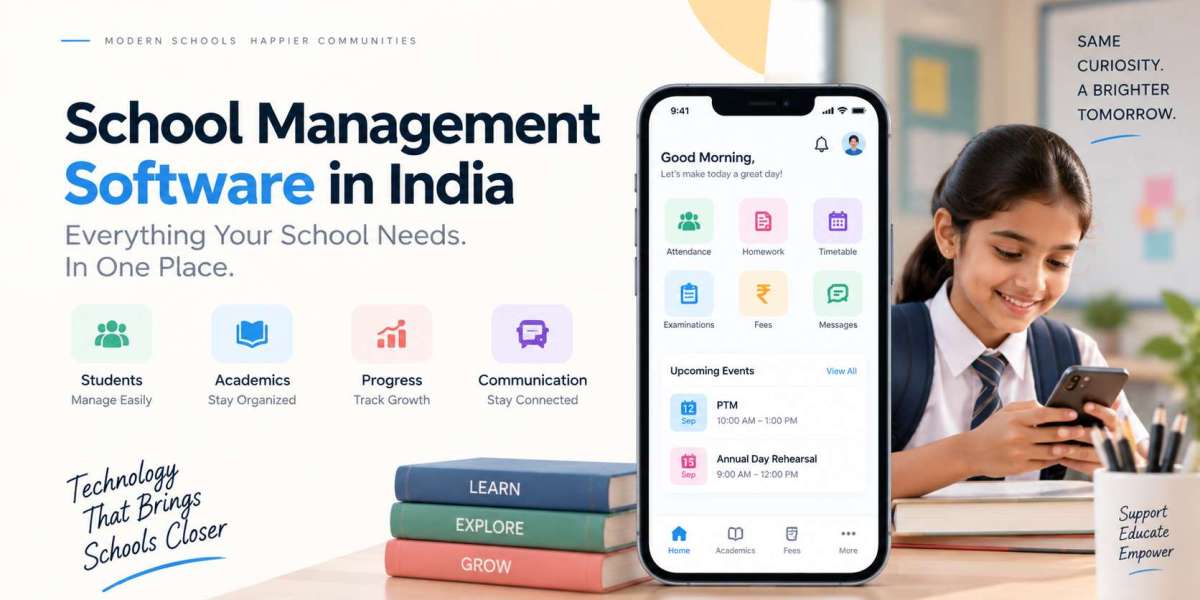

Running a curriculum is one job. Running everything wrapped around that curriculum is a completely different one.
Lesson plans have to be filed. Students have to be assessed. Attendance has to be marked and defended when someone questions it. Exam schedules have to be built without clashes. Parents expect updates. Fees have to be collected, chased and reconciled. And somewhere in all that, management needs numbers they can actually trust.
For CBSE and ICSE schools, none of these run in isolation. Assessment patterns, internal marks, attendance thresholds, report card formats and parent reporting are all tied to each other. Change one thing and three others move.
You can have brilliant teachers and a strong academic programme and still feel like the school is being held together by registers, Excel sheets and four different apps that don't talk to each other.
That's the real problem the right School ERP Software is meant to solve. But here's where most schools go wrong: they choose based on how long the module list is.
A better question is this one:
Can this platform actually handle the way our school works today?
Ask that, and the entire shortlist changes.
Academics and Administration Aren't Two Separate Things
Try separating them and see how far you get. A student's attendance record shapes how you read their academic progress. Exam results have to attach to the correct student record, not a similarly named one in another section. Parents need academic information without calling the office. Teachers need student data for their own classes, and only their classes. Management needs section-wise and department-wise reports that reflect reality, not last month's export.
When these live in different places, someone on your staff becomes a human bridge — copying data from one system into another and quietly introducing errors while doing it. Good school management software brings all of it into one environment.
The goal was never to automate teaching. It's to clear the administrative clutter piled around teaching so your people can get on with it.
Start With the Student Journey, Not the Feature List
Before you look at a single vendor deck, sit down and map how a student moves through your school. It starts with an inquiry, often a phone call or a walk-in. Then registration, admission, document collection, fee structure assignment and class allocation.
From there the student enters daily life at your school: attendance, timetable, homework, assessments, examinations, fees, activities, parent communication, transport and academic reports.
Now look at that map and mark every point where someone re-types information that already exists somewhere else.
That list is your actual requirement document. It's far more useful than any vendor's brochure and for schools running 1,500 students or more, those duplication points are where the hours disappear.
Admission Should Flow Straight Into Student Records
Admissions usually operates like its own little kingdom. Its own registers, its own files, its own process.
Technically, that's a mistake. Everything collected during admission should become the foundation of that student's permanent record.
If a parent fills in a form with the child's date of birth, address, previous school and contact numbers, nobody in your office should ever be typing that information again. Not for the fee ledger. Not for the transport list. Not for the report card.
A connected admission workflow kills duplicate entries and the inconsistencies that come with it: the two spellings of a surname, the old phone number that never got updated, the address that's right in one system and wrong in another.
Parents feel it too. Being asked for the same document twice makes a school look disorganised, whatever else you're doing well.
Academic Planning Has to Be Practical, Not Decorative
Curriculum management isn't uploading a syllabus PDF and calling it digital. Teachers have to convert curriculum requirements into real lessons: what gets taught, in which week, and how understanding gets checked. That's the work. Any system that ignores it will be ignored right back.
One Flawless supports lesson planning across curriculum and lesson plans, timetables, student progress, assessments, grades and academic reports.
The part that matters is that these connect. A teacher shouldn't be maintaining a lesson plan in one place and recording student progress in another, then manually linking the two at term end. That's not digitisation. That's the same paperwork with extra steps.
Examinations Are Where Weak Systems Fall Apart
Exams are the most data-heavy fortnight in your calendar. Look at everything involved:
Building the exam schedule without subject or invigilation clashes
Assigning subjects, papers and maximum marks
Recording marks from multiple teachers
Applying grade logic
Generating report cards in the correct board format
Reviewing performance across sections
Publishing results to parents
Handle that manually and your admin team disappears for two weeks. Every year.
Digital examination management turns it into a workflow instead of a scramble. Marks go in once. Grades are calculated automatically. Report cards generated in the right format. Results published to parents without printing three hundred copies.
And when a parent calls in March asking about a Class 8 unit test from September, someone can actually find it in under a minute.
Attendance Should Feed Academic Monitoring
Most schools treat attendance as a compliance box. Mark it, file it, forget it.
It's more useful than that. Attendance patterns give teachers and management the context behind a drop in performance. A student whose marks slipped in the last two assessments and who has missed eleven days this term isn't a mystery but only if you can see both numbers on the same screen.
Hardware helps here, if you use it properly. Biometric devices and RFID cards can remove the daily register entirely.
For schools evaluating an RFID School Management System, don't get distracted by the hardware. Cards and readers are the easy part. Ask what happens to the data after the tap:
Does attendance update in the ERP automatically, or does someone import a file? Can authorised staff pull reports without a vendor ticket? Do parents get a notification the same morning? Does that record sit alongside everything else in the student's file?
Integration is what turns a card reader into a management tool. Without it, you've bought expensive turnstiles.
Parent Communication Belongs Inside the Academic System
No parent wants to check four places to understand their child's school life.
They want one dependable place showing attendance, homework, exam schedules, results, circulars, fee status, activities and leave requests.
When that exists, something useful happens on your side of the desk: the repetitive calls stop. Fewer "did the circular go out?" queries. Fewer parents standing at the reception window asking what the exam dates are. A connected communication portal gives your front office its day back. That's not a soft benefit. It's measurable staff time.
Fees Are Part of the Student Lifecycle Too
Finance usually gets walled off from academics. Different team, different software, different logic.
Parents don't see it that way. To them it's one school experience. They'll check attendance on their phone at 9 pm and then want to clear the term's fees in the same session, on the same screen.
An integrated platform makes that possible. Check whether the ERP genuinely supports online payments, instant receipts, multiple fee structures, concessions, outstanding balances and proper financial reporting and whether payments reflect immediately in the ledger or overnight in a batch file.
Convenience for parents, control for your accounts team. You shouldn't have to trade one for the other.
Transport Gets Ignored Until It Becomes a Problem
Large schools run genuinely complex transport operations. Multiple buses, overlapping routes, dozens of stops, drivers, attendants and a shifting list of which student boards where.
Manage that outside the student system and coordination becomes guesswork. Someone changes a stop, the list doesn't update, and a parent is left standing at a corner.
A connected ERP pulls transport into the same environment as student records. Add GPS tracking and parents get live visibility through the same app they already use for homework and fees which, in practice, is the single fastest way to stop transport-related phone calls to your office.
Mobile Access Isn't a Bonus Feature
Almost nobody consumes school information at a desk anymore. Parents check from their phones, usually in the evening. Teachers need attendance and homework access while walking between classrooms. Administrators want a fee collection number during a management meeting. Students look up homework at 8 pm on a Sunday. So mobile has to be part of the evaluation, not an afterthought demo slide.
When comparing options for the Best School Mobile App in India, ignore the screenshots and test the tasks. How many taps to mark attendance for a full section? Can a parent pay fees in under a minute? Can a teacher post homework with an attachment? Does a role-based mobile application exist for transport staff, or is everyone sharing one login? A beautiful app that takes seven taps to do something simple will not get used.
What Does "LMS" Actually Mean in Their Product?
Plenty of vendors now advertise ERP plus learning management. The overlap makes sense academic administration and learning delivery genuinely have moved closer together.
A combined School ERP & LMS Software environment can bring assignments, content and student records into one place. Can. The word does a lot of work in vendor marketing.
So make them prove it. Does it handle assignment submission and feedback? Can teachers upload and organise lesson content? Can students access resources by subject? Are online assessments supported? Can teachers track progress over time? And crucially does any of it connect to the student record, or is the LMS a separate product bolted on with a shared login? The label is worthless. The workflow is everything.
Sort Out Access Control Before Go-Live
Your school holds sensitive data: student records, parent contact details, academic history, financial information, staff files.
Not everyone should see all of it. That sounds obvious until you're three months into implementation and discover every teacher can view the full fee defaulter list.
A proper ERP supports granular role-based access. A class teacher sees their own students, not the whole school. A finance administrator sees payment data, not counselling notes. A transport in-charge sees route lists, not academic records.
Ask to see the permission settings during the demo. Not a slide about security the actual screen.
Build Reports Around Questions You Already Ask
Dashboards exist to look impressive in demos. Reports exist to answer questions. Before evaluating anything, write down the questions your management genuinely asks every month:
Which sections have attendance below the threshold?
How is performance trending across assessments and sections?
What's outstanding in fees, by class and by age of dues?
How many admissions are in the pipeline, and where are they stuck?
Which transport routes are running under capacity?
What does staff attendance look like this month?
Then make each vendor pull those exact reports in front of you. That single exercise separates real School ERP Software from a collection of screens with charts on them.
Five Scenarios to Run in Every Demo
Don't sit through a passive presentation. Take control of it and hand them these:
Scenario 1 — Admission. "A parent just submitted an enquiry form. Show us everything that happens from there until the student is allocated a class."
Scenario 2 — Attendance. "A teacher marks a student absent. Show us how and when the parent finds out."
Scenario 3 — Examination. "Show us marks for entry by three different subject teachers, and then the finished report card."
Scenario 4 — Fees. "A parent pays online at 10 pm. Show us the receipt and where it appears in the accounts."
Scenario 5 — Communication. "Send a school-wide notice, then send one only to Class 9 parents."
If a vendor can't do all five live in their own system, you've learned something a feature list would never have told you.
Mistakes Schools Keep Making
Buying on feature count: Forty modules you'll never open aren't better than twelve that work properly.
Ignoring the teacher's experience: Teachers are the highest-volume users. If daily tasks are slow, adoption collapses and you're back to registers by December.
Skipping hands-on testing: A demo is a performance. Insist on a trial with your own staff and your own data.
Forgetting integrations: Confirm compatibility with your existing biometric devices, payment gateway, WhatsApp communication and website before signing, not after.
Underestimating support: Go-live is the start, not the finish. Ask about training, response times, who handles issues during exams, and what happens when you need a change next year.
A Simple Scoring Framework
Emotion drives more ERP decisions than anyone admits. A polished salesperson and a good lunch shouldn't decide a five-year commitment.
Score every shortlisted platform out of ten on:
Academic management
Student management
Attendance
Examinations
Fees and finance
Parent communication
Mobile experience
Transport
Integrations
Reporting
Security and access control
Support
Scalability
Ease of use
Have your principal, IT head, accounts head and two senior teachers score independently. Where they disagree is exactly where you need to dig deeper.
The Right Fit Beats the Biggest Platform
There's no single ERP that's correct for every school, and anyone claiming otherwise is selling.
A 600-student school may need admissions, attendance, fees and communication done really well, and nothing more. A 3,000-student school needs deep reporting, transport, payroll, RFID, biometric integration and layered administrative workflows. A school with a serious digital learning programme will weigh LMS capability far higher than either.
Fit is the whole game. If you're researching the Best School ERP Software in India, judge every platform against your own workflows not against a competitor's brochure.
Final Thoughts
Technology should make a school easier to run and easier to understand. That's the entire brief.
For CBSE and ICSE schools, the hard part was never the curriculum. It's coordinating the dozens of daily activities that hold the curriculum up admissions, attendance, academics, examinations, fees, communication, transport and the reporting that ties them together.
A connected platform brings those into one place, so information stops living in silos and starts being useful.
So when you're evaluating School Management Software in India, put one question at the centre of the decision:
Will this help our people spend less time managing information and more time actually using it?
Get a yes to that, backed by a demo that survived your five scenarios, and you haven't just bought software. You've built part of how your school will run for the next decade.